Overview
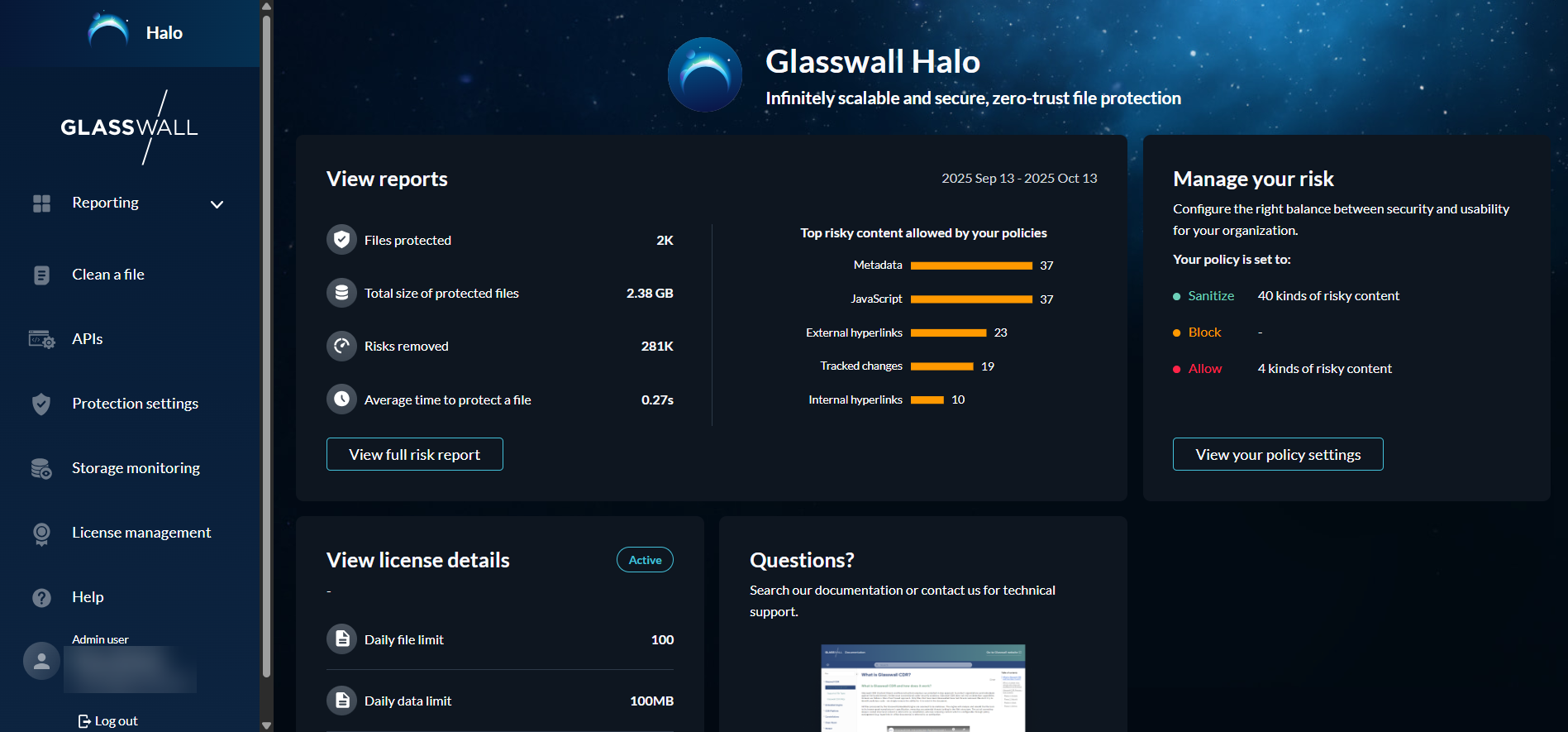
The Halo portal is your centralized hub for deploying and managing Glasswall’s next-generation Content Disarm and Reconstruction (CDR) technology. Through this enterprise portal you can:
- Dive into in-depth reporting to monitor file processing, threats detected, and system usage trends.
- Customize protection policies at a granular level, aligning file safety with your organization’s risk appetite.
- Seamlessly access key features such as file cleaning, ICAP integration, XML validation, and API configuration.
In essence, the Halo portal empowers you to control, monitor, and tailor Glasswall’s sophisticated file defense capabilities from one unified interface.
Minimum requirements
All you need to get started is a good internet connection, and an appropriate up to date browser on your device.
Supported browsers
The portal can be accessed and used directly via the following popular web browsers:
- Edge
- Chrome
- Firefox
Accessing Halo Portal
To access the Halo portal, simply enter halo.glasswall.com in your browser’s address bar and wait for the page to load.
Once the portal launches, you are ready to explore and make use of Glasswall’s advanced Content Disarm and Reconstruction (CDR) technology.
Access levels within the Halo portal vary by user type:
- Admin users have full access to all portal features, including reporting, file cleaning, license management, protection settings, and API configuration.
- Standard users have access to core features such as file cleaning, API information, and view-only access to reporting and protection settings.