Risk report
In the Halo portal, the Reporting section provides users with both a high-level overview and in-depth breakdown of file data processed and protected by your organization.
Risk report
Protected file overview

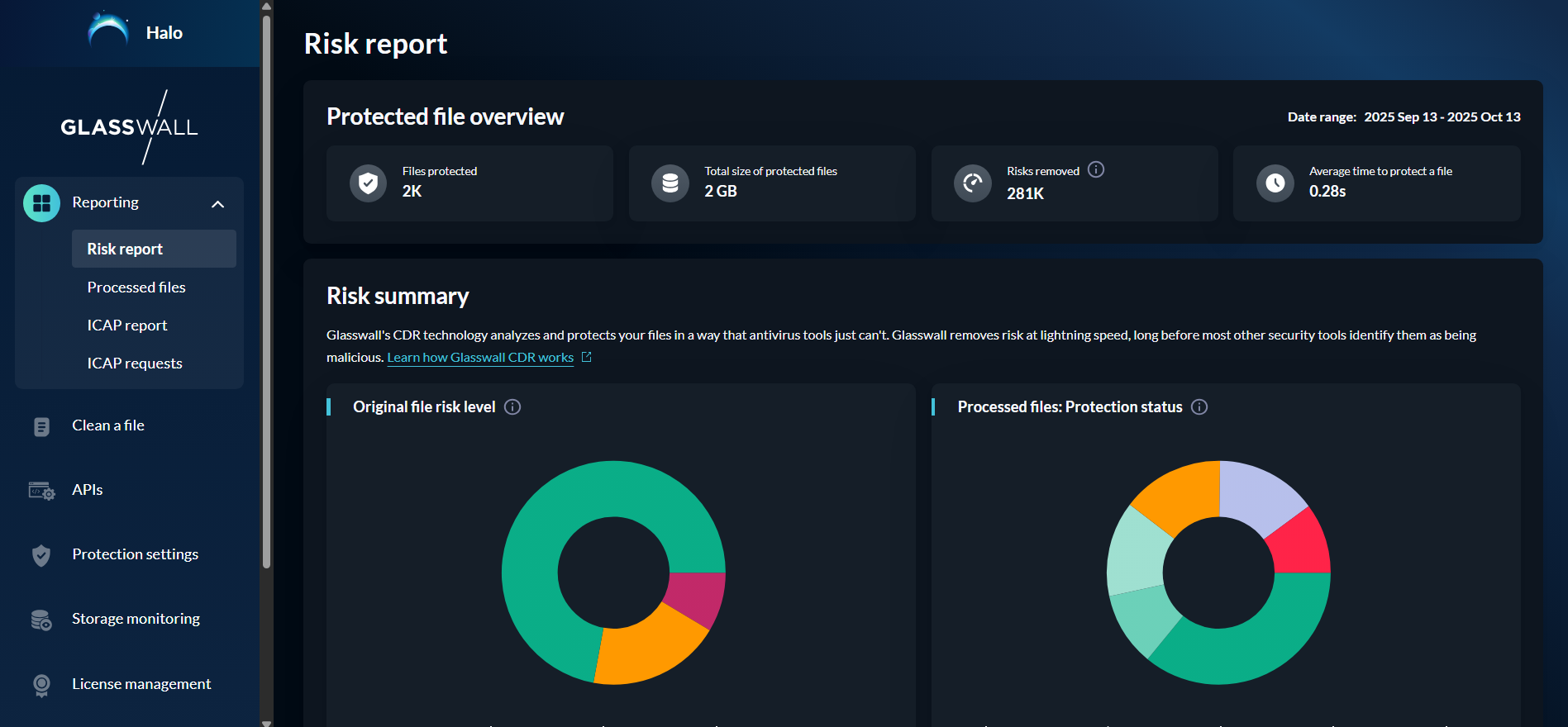
This section provides a high level overview of the total files processed by your organisation including:
- Number of total files protected
- Total size of protected files
- Total number of risky items removed
- Average time to protect a file
Risk summary
The Risk summary section shows a more thorough breakdown of your organization's processed files data including:
Original file risk level
After a file has been rebuilt, Glasswall Halo assigns a risk level to the original file.
File protection level
File protection level represents a file’s status after it’s been rebuilt.
Original malware status
Glasswall has partnered with ReversingLabs to uncover details on how many of your original files contained malware.
ReversingLabs runs the hash for each file through its file reputation database and classifies how malicious it’s likely to be.
Severity of malicious files
Original files that have been confirmed as malicious by ReversingLabs each receive a threat severity score of 1-5.
Risky content removed
This is a list of risky content that has been removed, based on your organization’s policy settings.
This list only includes risky content removed from protected files. This is a list of risky content that has been removed, based on your organization’s policy settings.
Risky content allowed by your policies
This is a list of risky content that has not been removed from your processed files.
- Your organization has chosen to allow this content through your policy settings.
Top protected file types
This is a list of file types that have been protected by Glasswall CDR.
Use of Glasswall's products and APIs
This is a breakdown of the Glasswall products that were used to rebuild your organization’s files.
Risk trends
In the Risk trends section, you can see trend charts for the following:
File protection level
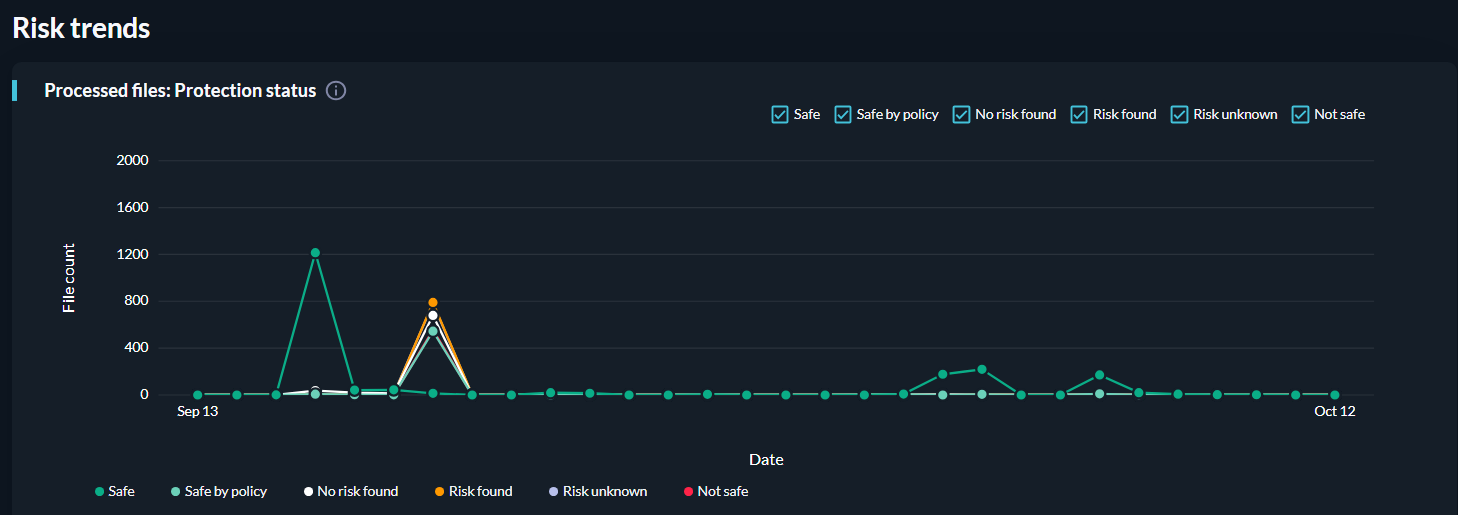
This is the file count by protection level over time. A file protection level represents a file’s status after it’s been rebuilt.
Original file risk level
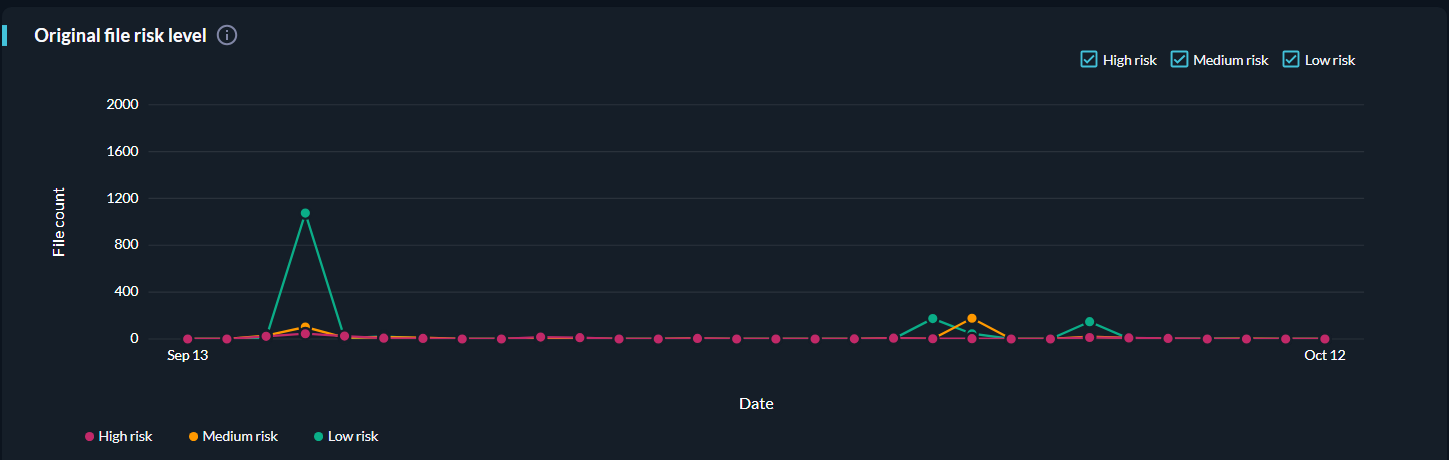
This is the file count by original file risk level over time. A file's original risk level represents a file's risk before it has been rebuilt.