Find and redact
Glasswall Meteor’s Find and redact tool is a data loss prevention feature which allows users to set customized rules to identify and remove sensitive information in Office documents.
Note: This feature is currently only available in ‘Preview’ mode.
- From the Welcome screen or from the side navigation menu, select Find and redact.
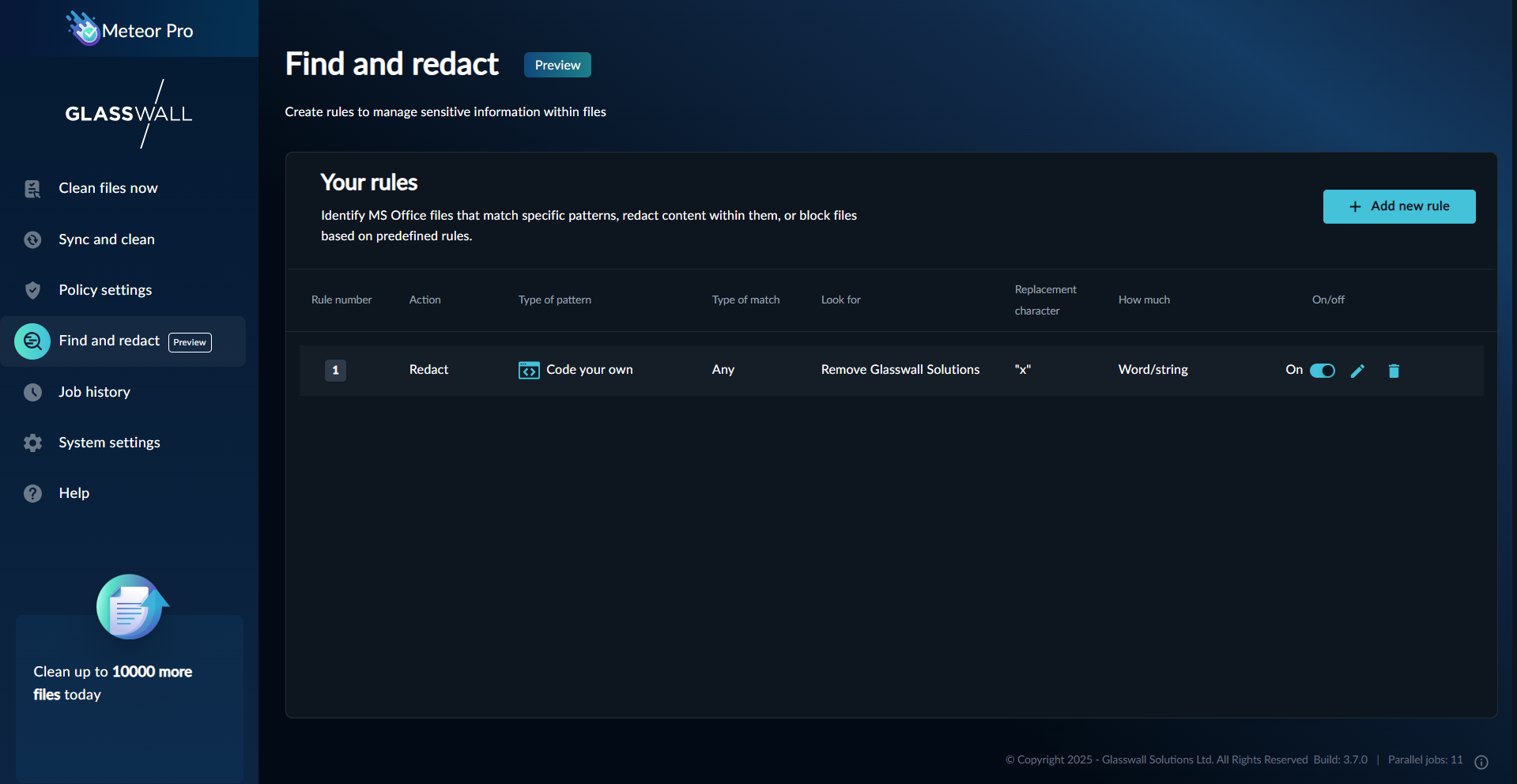
- Click Add new rule. You will arrive at the Create your rule screen.
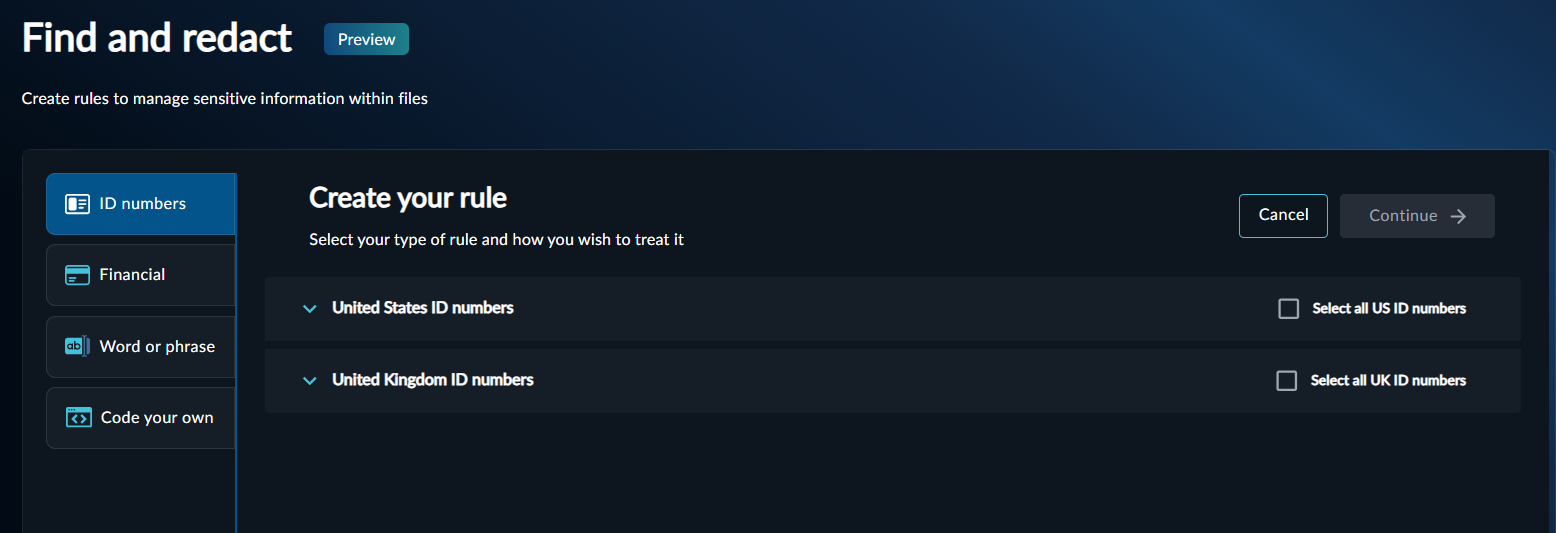
- Select the appropriate tab for the custom rule you would like to create.
For every rule, the following actions can be assigned:
- Find - identify files containing sensitive information.
- Redact – obscure or remove sensitive information.
- Block – stop a file from moving into your clean files.
- Enter a name for your new rule in the Name your rule field.
- Add your regular expression code in the corresponding field.
Note: Currently the regular expression matching is case insensitive.
- If you selected the Redact tab, enter the appropriate character in the Replace your character field.
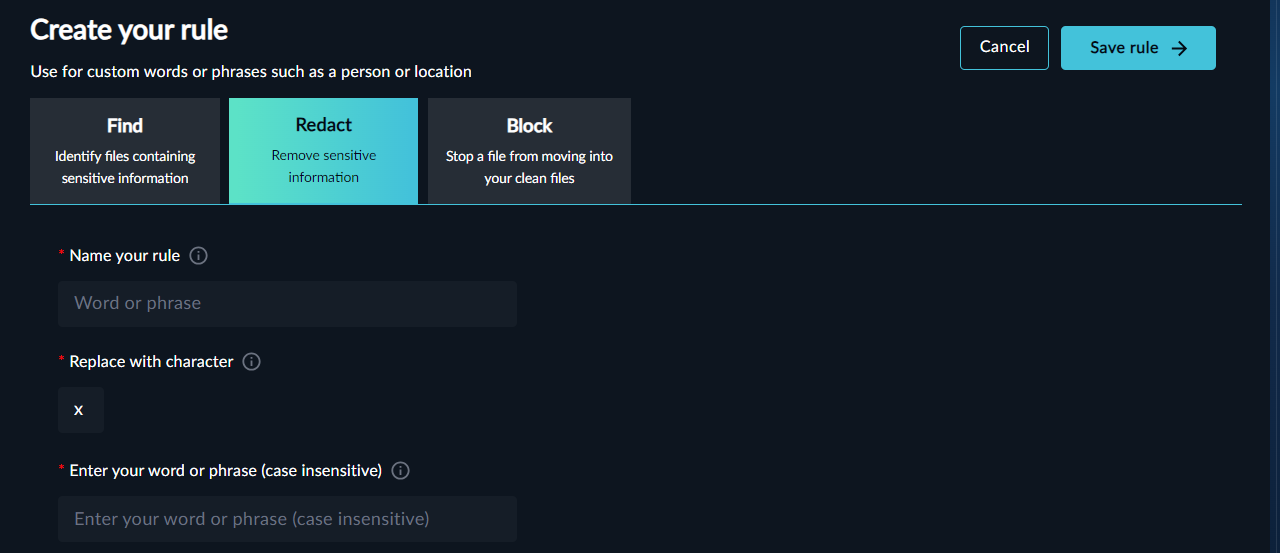
- Click Save rule.
Once a rule is created, it will be applied to all files processed via Clean files now or Sync and clean.