Using Glasswall Foresight in Meteor
Installing Glasswall Foresight with Meteor
Glasswall Foresight is included automatically when you install or update Glasswall Meteor to version 5.0.0 or later. No additional installation steps are required.
Enabling Glasswall Foresight
If your license does not include a Glasswall Foresight entitlement, Foresight is disabled by default.
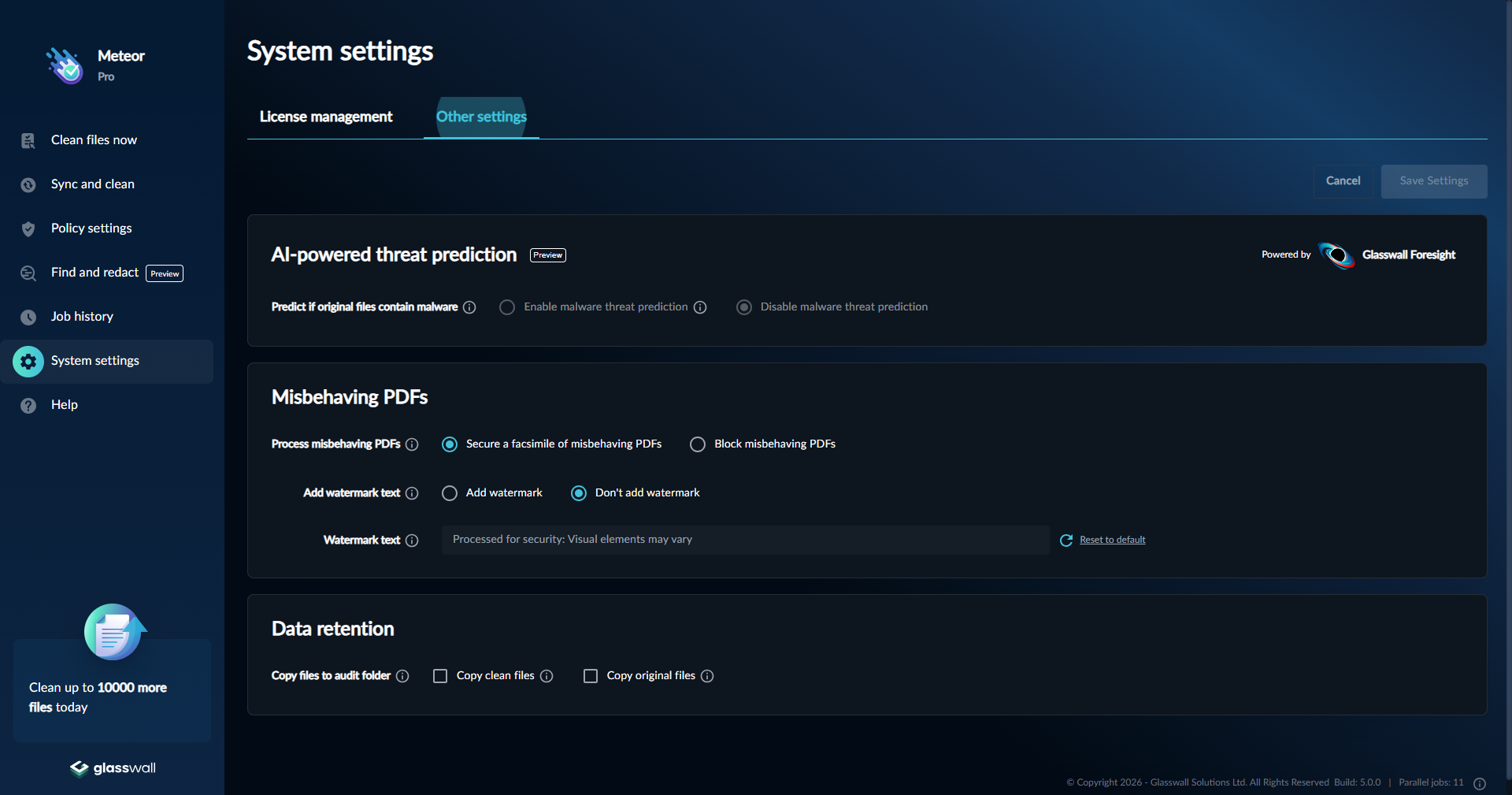
To enable Foresight, upload a license that includes the Foresight entitlement. Once the license is applied, Foresight activates automatically. You can use the toggle on the Settings page to disable it at any time.
Using Glasswall Foresight
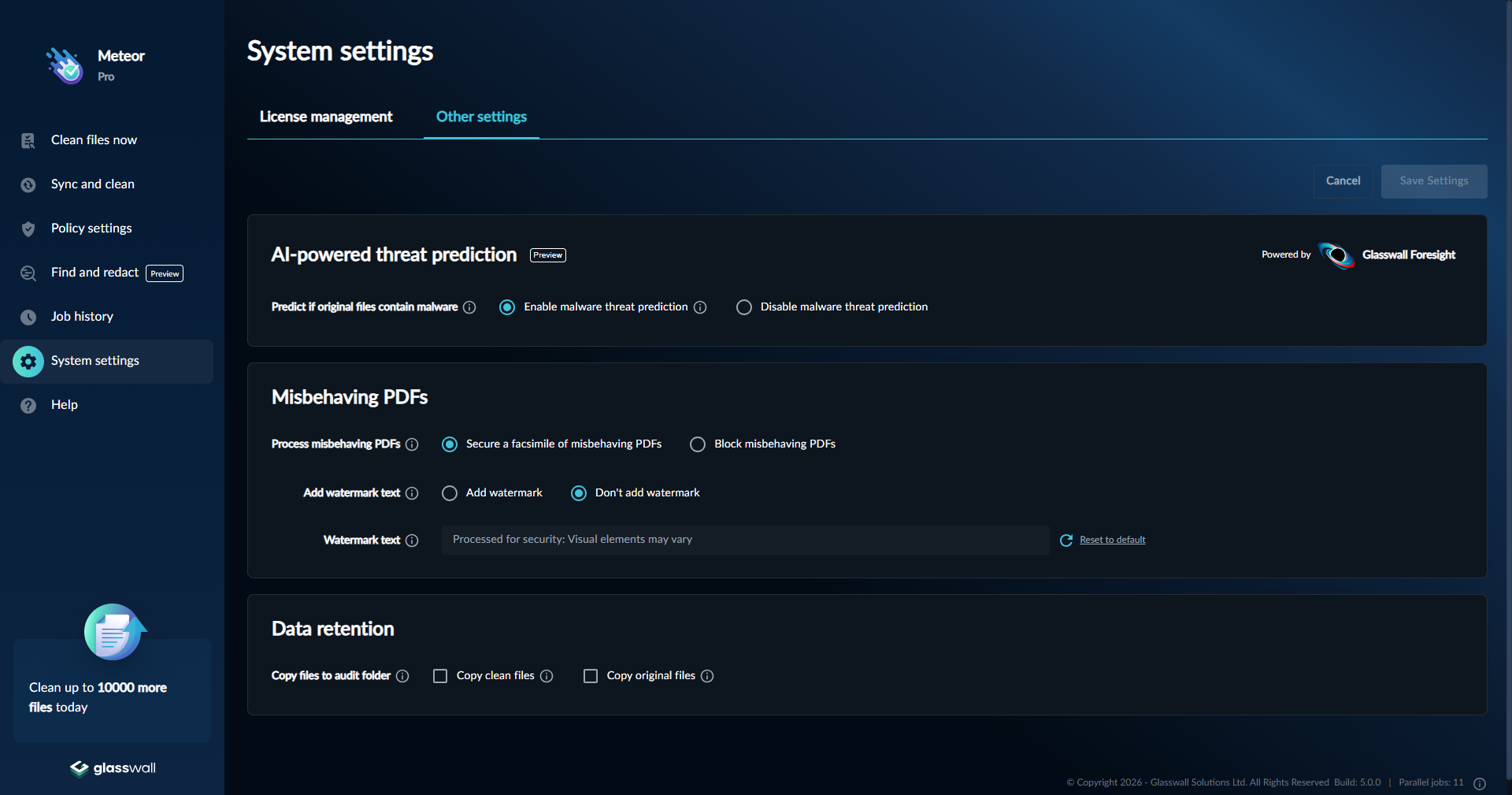
Glasswall Foresight runs inline any time you process a file, whether the file is processed from Clean a file or Sync and clean.
After processing, the analysis report includes a Foresight section under the original file details. The results fall into one of three categories: No Threats Detected, Malicious, or Suspicious.
No Threats Detected
When Foresight returns "No threats detected", the file is clean and safe to use. Regardless of the policy used the file will be considered safe and available to use.
Malicious
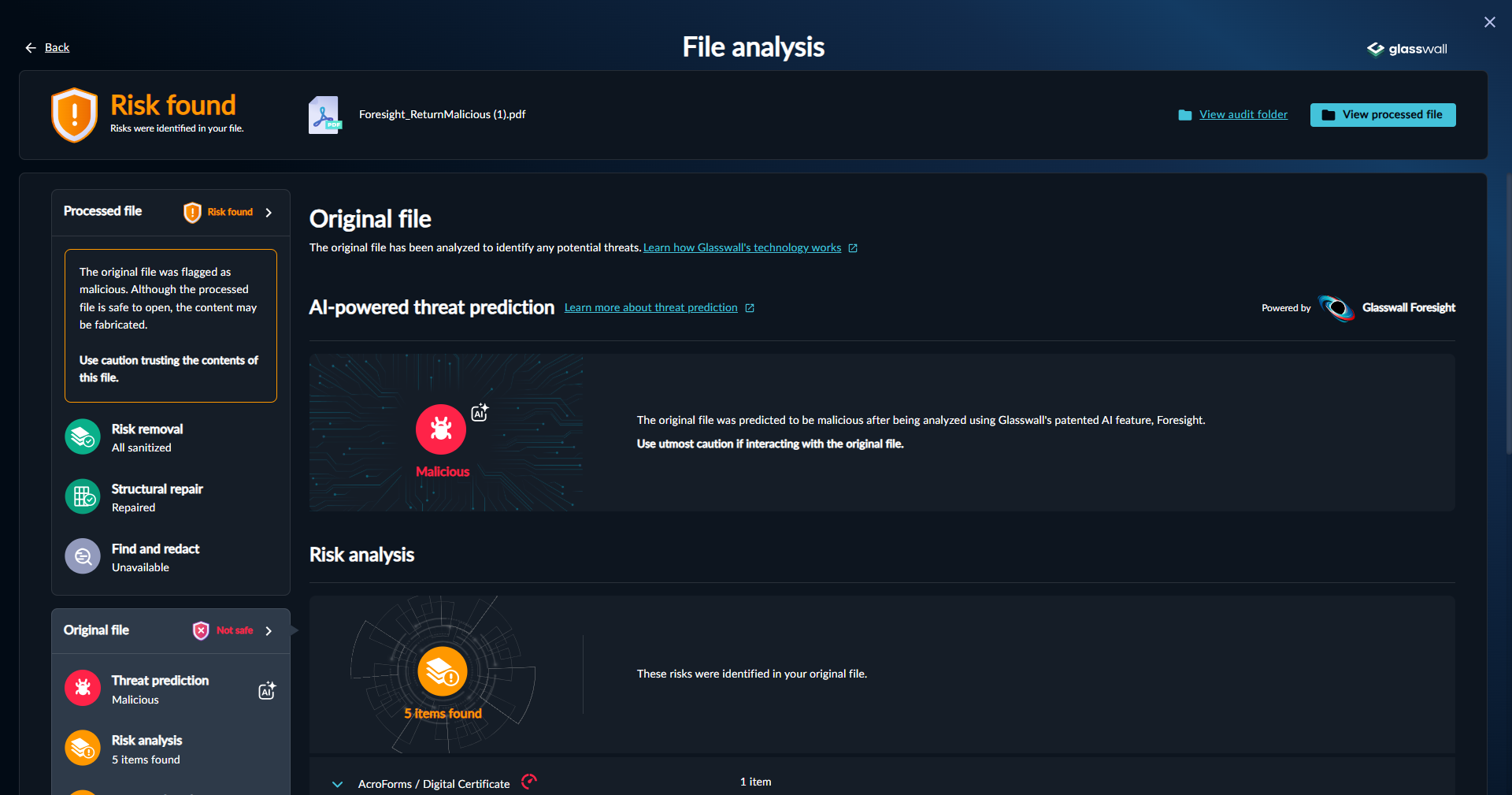
If a file has been detected as malicious, a warning is displayed that the original file is dangerous and caution should be used when handling. If the file was processed with a policy that fully sanitizes the file, a warning is shown that the content could still be risky.
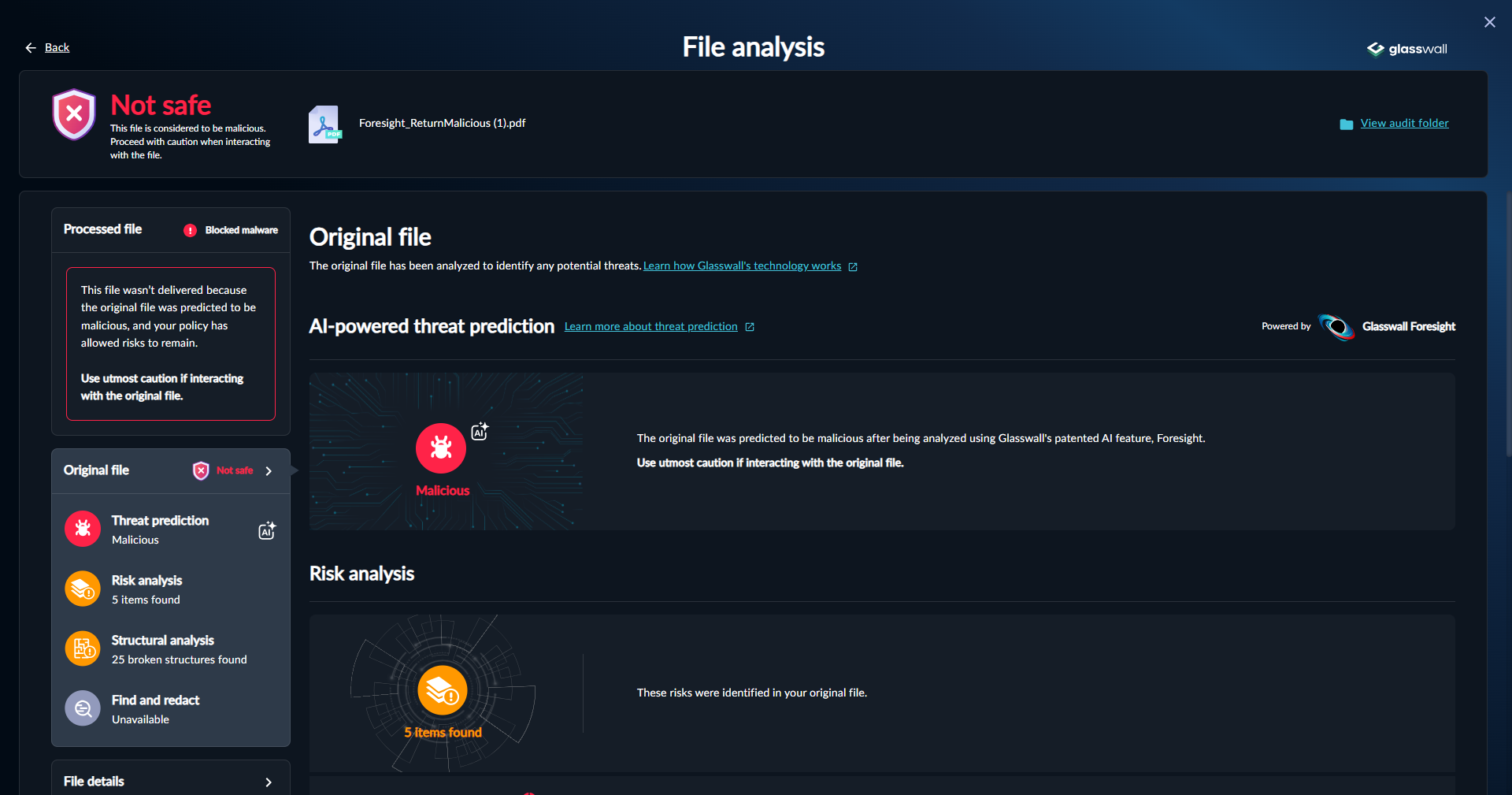
However if the file was processed with a policy allowing some content, the file will be blocked as it cannot be guaranteed that the sanitized file is safe to use.
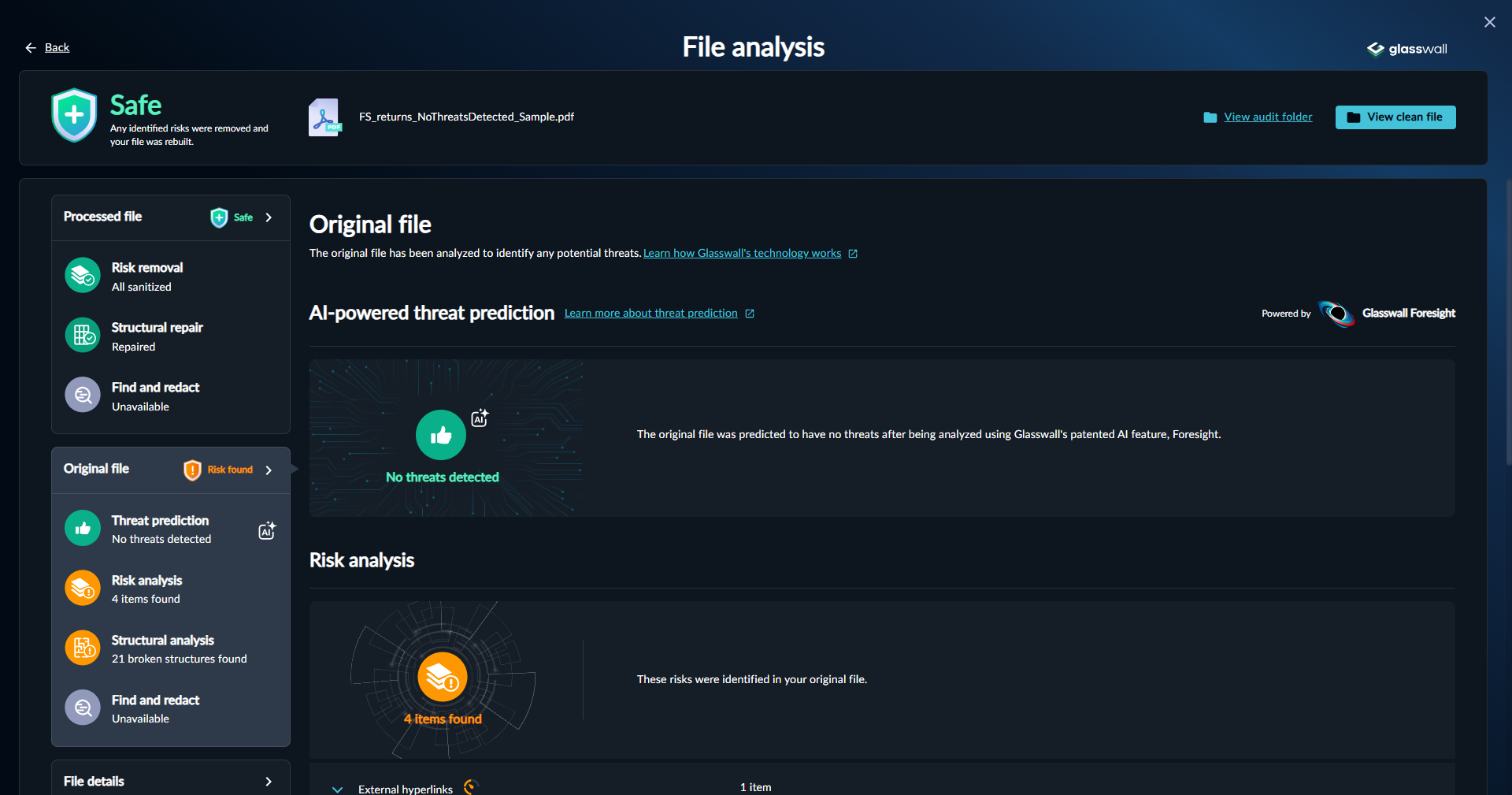
Suspicious
If a file is identified as suspicious, a warning is displayed. The rebuilt file remains available for download.
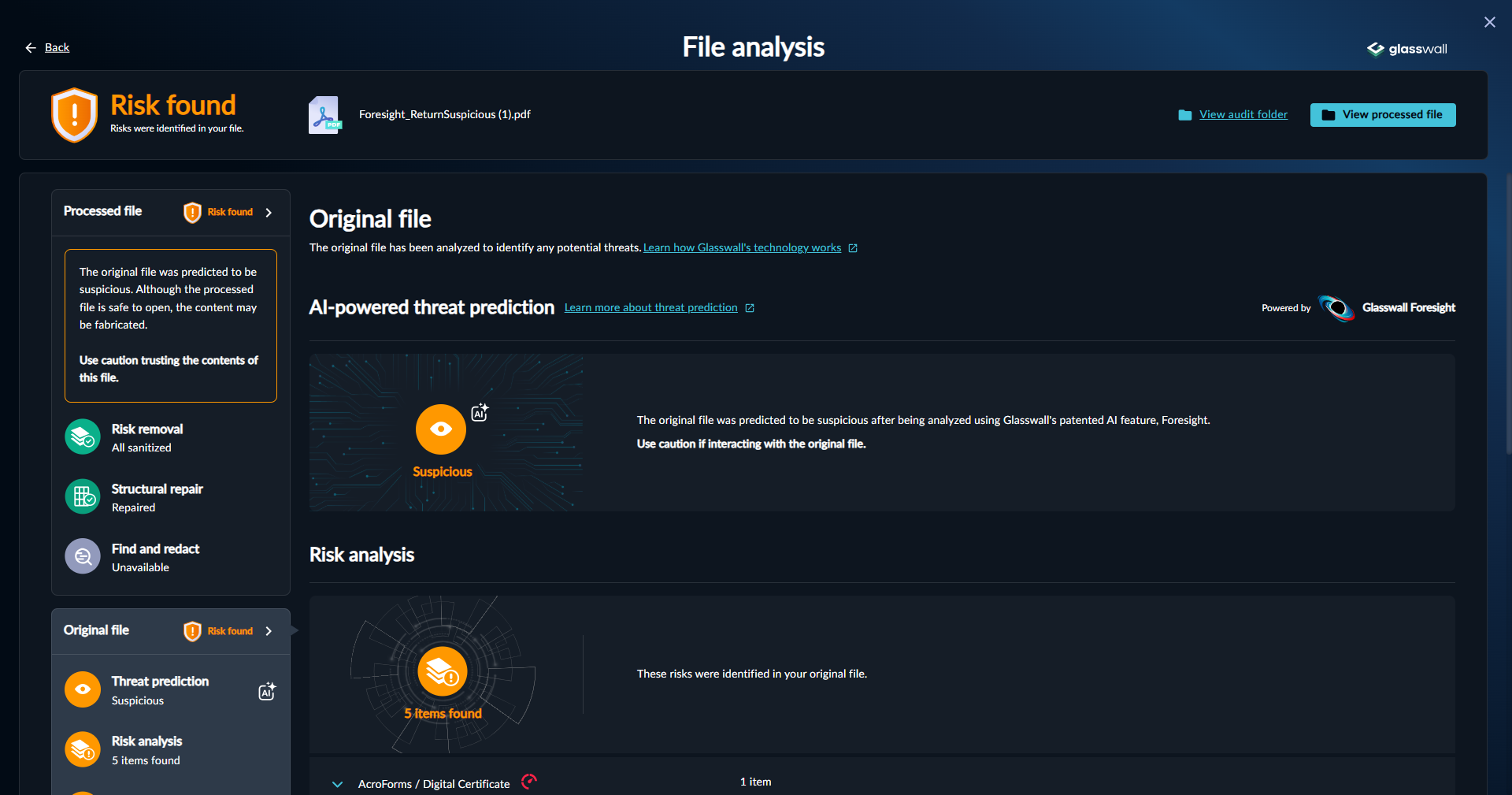
A similar behaviour occurs when risks are allowed. The rebuilt file is available to be used.