Getting started
Using Glasswall Conform to process irregular PDFs
Glasswall Conform enhances PDF processing by allowing irregular or malformed documents to be safely cleaned when standard validation would normally fail. It is available across both the Sync API and the Halo Portal.
Prerequisite
- Halo version 2.10.0 or later
Supported endpoints
Conform is currently supported on the following sync API endpoints:
/api/v3/cdr-file/api/v3/cdr
How to enable Conform
Option 1: Sync API
To process a file using conform via the API:
- Send a
POSTRequest to the sync API endpoint with thepdf-conform=trueQuery parameter:
/api/v3/cdr-file?pdf-conform=true
- After processing, check the response headers for:
x-pdf-conform
This indicates whether Glasswall Conform was used during processing.
Option 2: Halo Portal
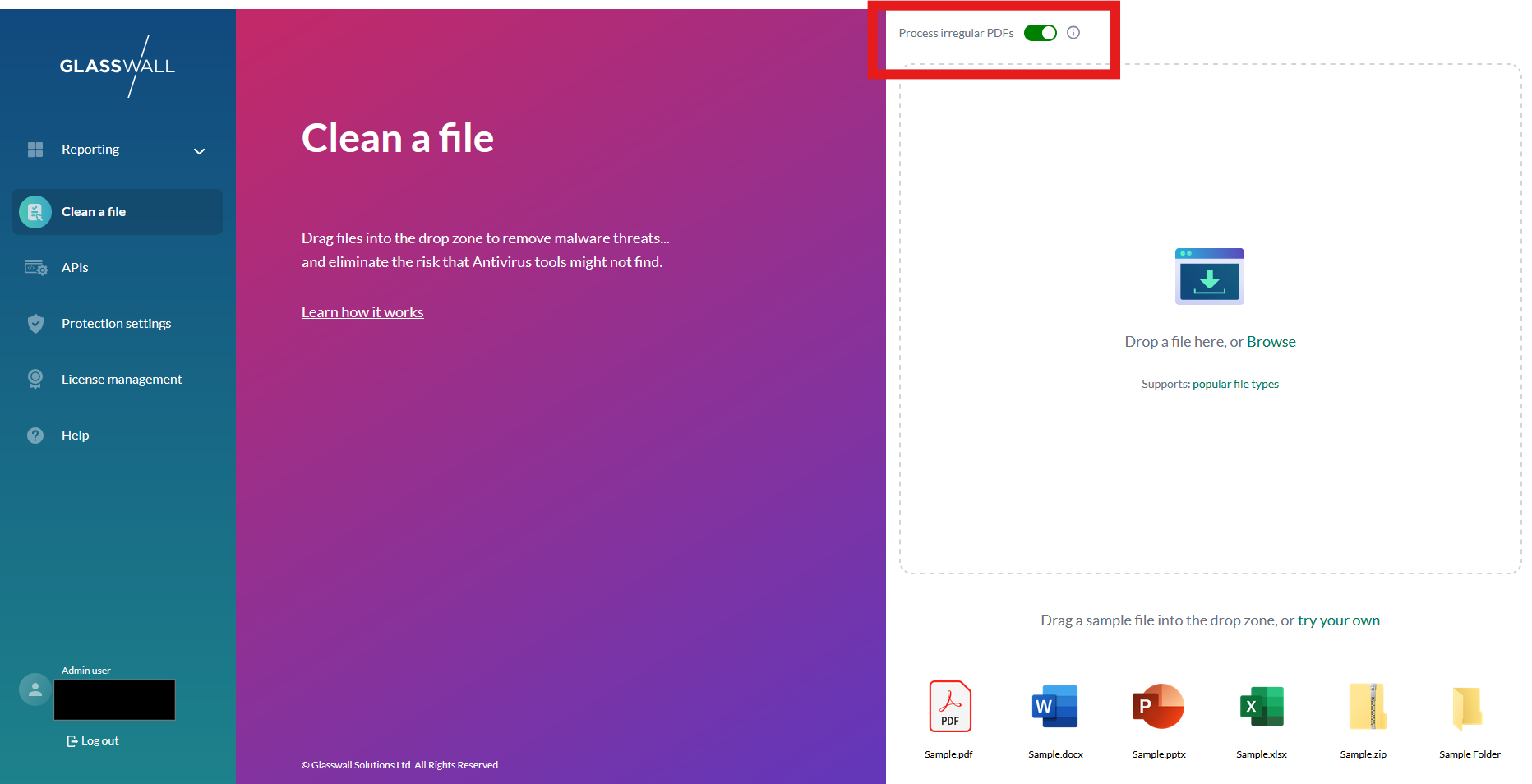
In the Clean a file section of the Halo Portal, enable the Process irregular pdfs toggle.
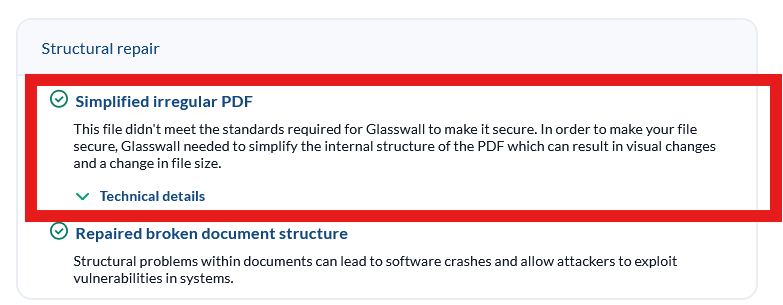
If Conform is applied during file cleaning, the analysis report will include additional details indicating why it was used.